How to Add a CRA Authorized Representative for Your Business Account
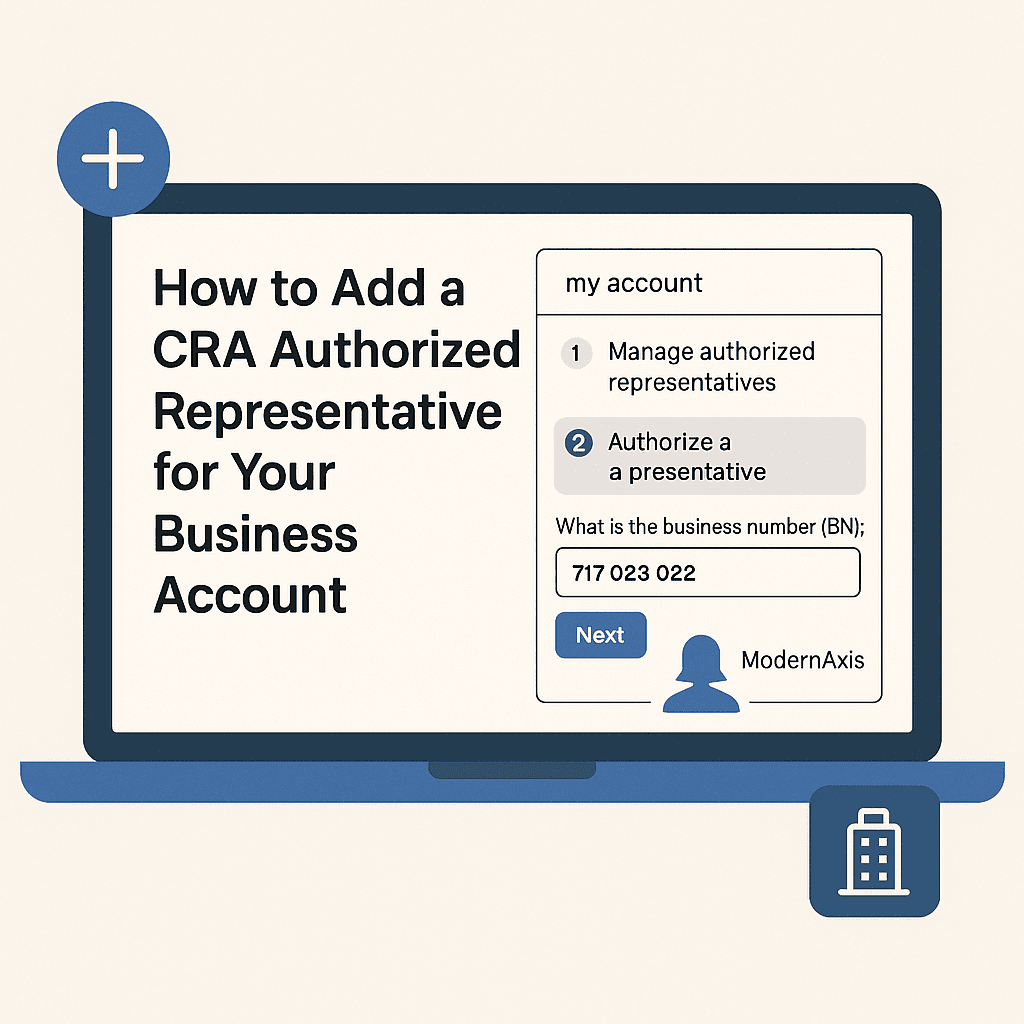
Adding an authorized representative to your Canada Revenue Agency (CRA) business account allows an accountant, bookkeeper, or another trusted individual to access and manage tax-related matters on your behalf. This process is essential for business owners who want to streamline tax filings, correspondence, and account management.
Key takeaways
Authorizing a CRA representative through My Business Account lets your accountant file returns, view notices, and respond to CRA without you forwarding every letter.
Level 2 access is the working standard for CPAs because it permits filing, amending, and corresponding with CRA; Level 1 is view-only and forces the owner to file everything personally.
You need your nine-digit Business Number and your representative's seven-character RepID or GroupID to complete the authorization in My Business Account.
Authorizations stay active until cancelled, so review your representative list annually under the Income Tax Act recordkeeping rules to remove former bookkeepers or accountants.
If you are familiar with the process, here is the info you need. If you need step by step instructions, please read below:
Business Number: 717 023 022
Level 2 authorization is required
Please select does not expire
Please authorize all accounts for businesses and sin numbers.
Why Add an Authorized Representative?
An authorized representative can:
Manage tax filings and payments on your behalf
Communicate with the CRA regarding tax inquiries
Access and update business tax information
Handle GST/HST, payroll, and corporate tax matters
Steps to Add an Authorized Representative
The fastest and most convenient method to authorize a representative is online through My Business Account.
Modern Axis CPA requires Level 2 access which does not expire. Our business number is 717 023 022
Authorizing a Representative Online
Step 1: Log in to CRA My Business Account
Visit CRA Account
Sign in using your credentials or create an account if you don’t have one.
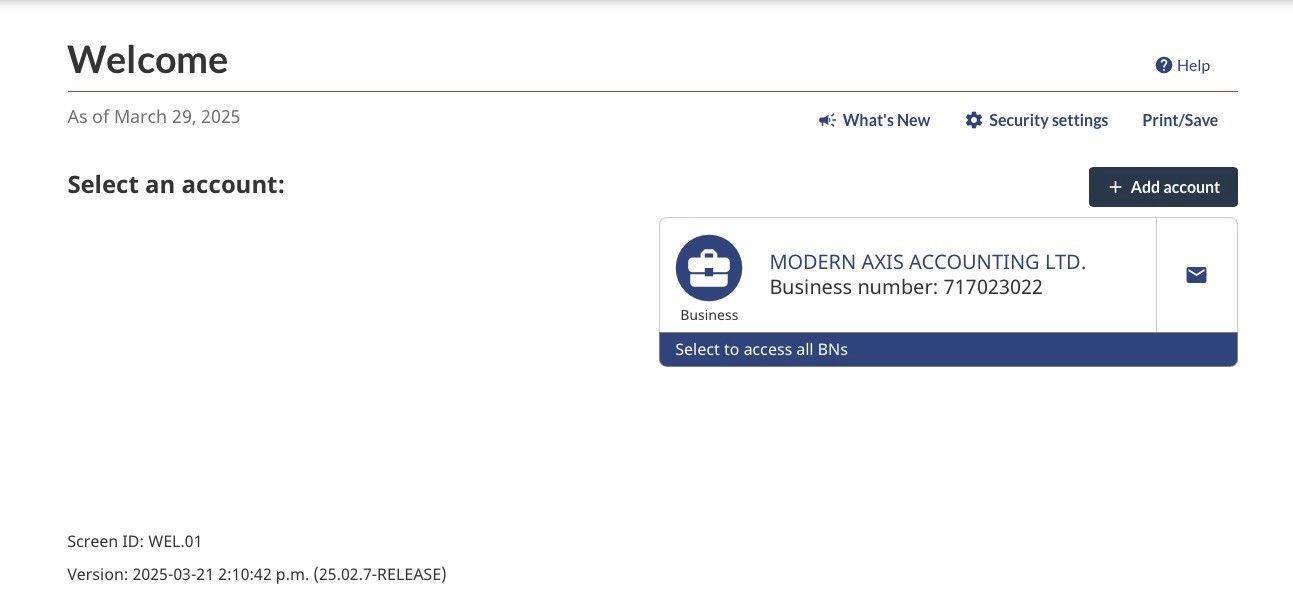
Step 2: Select your business account
If you do not see your business, follow the additional steps at the bottom.
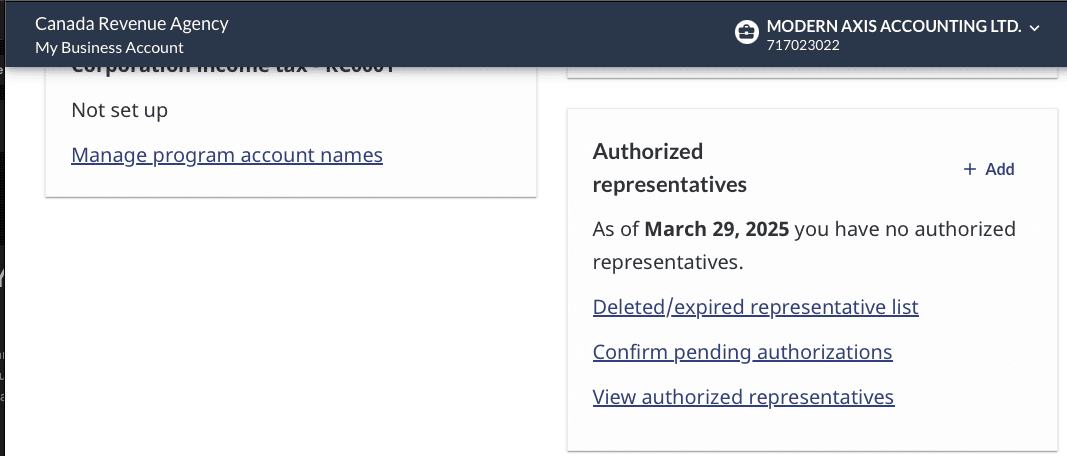
Step 3: Navigate to Manage Authorized Representatives
Navigate to the profile tab.

Under the "Profile" tab, find "Authorized Representatives" section.
Click on "Add".
Step 4: Enter the Representative’s Information
Input the representative’s Business Number (BN) (for firms) or RepID (for individual accountants or bookkeepers).
If you are authorizing ModernAxis, use the Business Number 717 023 022 and select Level 2.
If you are not able to find your business under on CRA online
Step 1:
If you do not see your Business Number (BN) listed, you need to add it.
Click on "Add account"
Select Business account
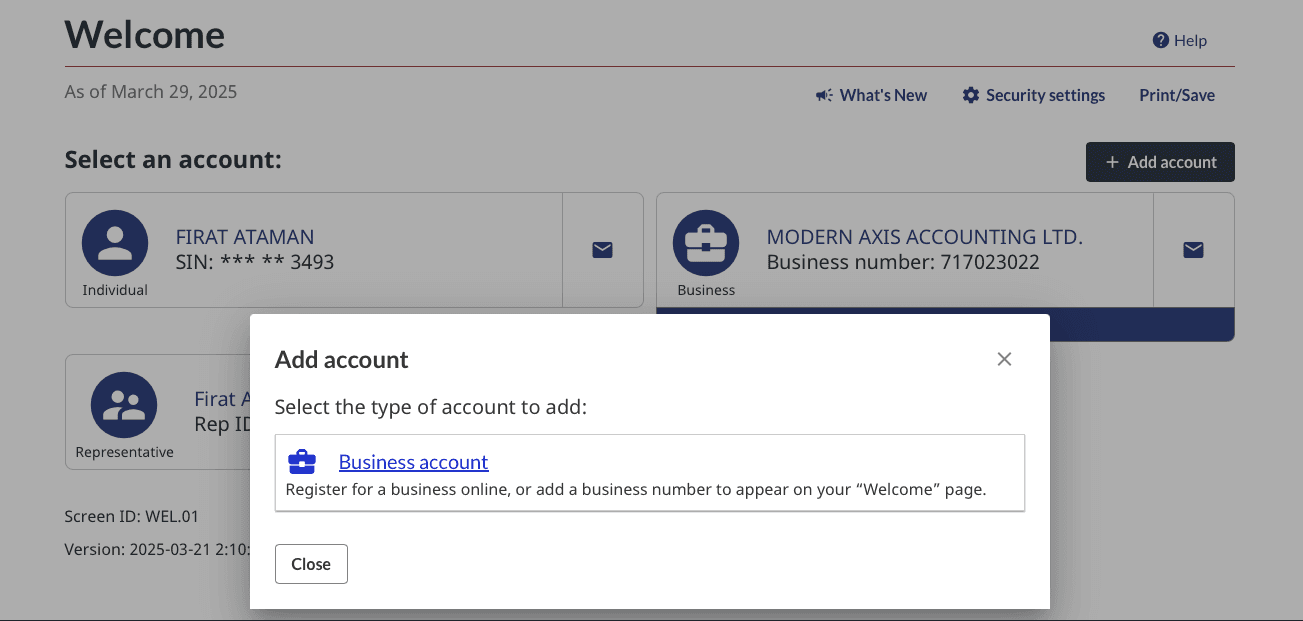
Choose "Add business number"
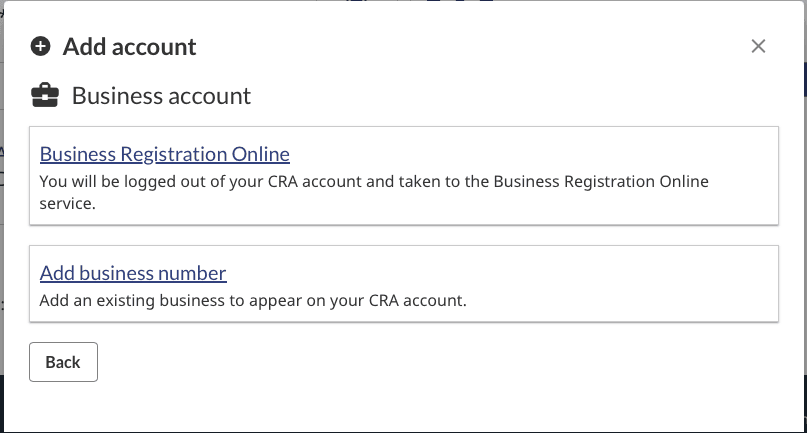
If you are unable to add your own BN, you must call the CRA at 1-800-959-5525 and select option 2 to link your SIN with your BN. When you call, make to have your incorporation documents ready as you will be asked questions for security purposes.
Final Thoughts
Adding an authorized representative simplifies your tax responsibilities and ensures compliance with CRA regulations. Whether you're working with an accountant, bookkeeper, or tax advisor, granting access allows them to efficiently handle your tax matters.
If you need assistance managing your business taxes, ModernAxis can help! Our team can act as your authorized representative to ensure your tax filings and compliance are handled seamlessly. Contact us today for expert tax support.
Frequently asked questions
What is the difference between Level 1 and Level 2 CRA representative access?
Level 1 is view-only: your representative can see your account but cannot file returns, make changes, or correspond with CRA on your behalf. Level 2 allows the representative to file returns, request adjustments, update banking information, and speak with CRA agents. Most CPAs and bookkeepers require Level 2 to do their job. Higher levels (delegated authority) exist for very limited scenarios and are rarely needed.
How long does it take CRA to process the authorization?
Online authorizations submitted through My Business Account typically activate within minutes to a few hours. Paper-based authorizations (form AUT-01) can take six to eight weeks. The online route is faster because CRA verifies your identity through the secure portal, eliminating the manual review step. Once active, your representative can access your account immediately through Represent a Client.
What is the difference between RepID, GroupID, and BN?
RepID is a seven-character ID identifying an individual representative (your specific accountant). GroupID is a seven-character ID identifying an entire firm, so any team member can act on your file. BN is your nine-digit Business Number identifying your corporation, sole proprietorship, or partnership to CRA. To authorize, you need your BN plus your representative's RepID or GroupID.
Can I add multiple representatives to my CRA business account?
Yes. CRA allows multiple active authorizations simultaneously, which is common when you use one firm for bookkeeping and another for tax. Each representative is added separately with their own RepID or GroupID and their own access level. You retain full owner access regardless of how many representatives you authorize, and you can remove any of them at any time through My Business Account.
How do I remove a former representative from my CRA account?
Log into My Business Account, navigate to "Authorized representatives," and cancel the authorization for the representative or firm you want removed. The cancellation is effective immediately. If you cannot access My Business Account, you can file form AUT-01X (Cancel Authorization for a Representative) or call CRA directly. Review your representative list annually to remove former bookkeepers or accountants.
Do I need to authorize Modern Axis CPA before our first meeting?
No. We typically request authorization after the initial consultation and engagement letter are signed. At that point we provide our GroupID, you log into My Business Account, and add us at Level 2 access. The whole process takes about five minutes. Once active, we can pull historical filings, notices of assessment, and balances directly without waiting for you to forward documents.
Alex Ataman, CPA
Founder
Modern Axis CPA