CRA Stopping Paper Mail for Businesses in 2025
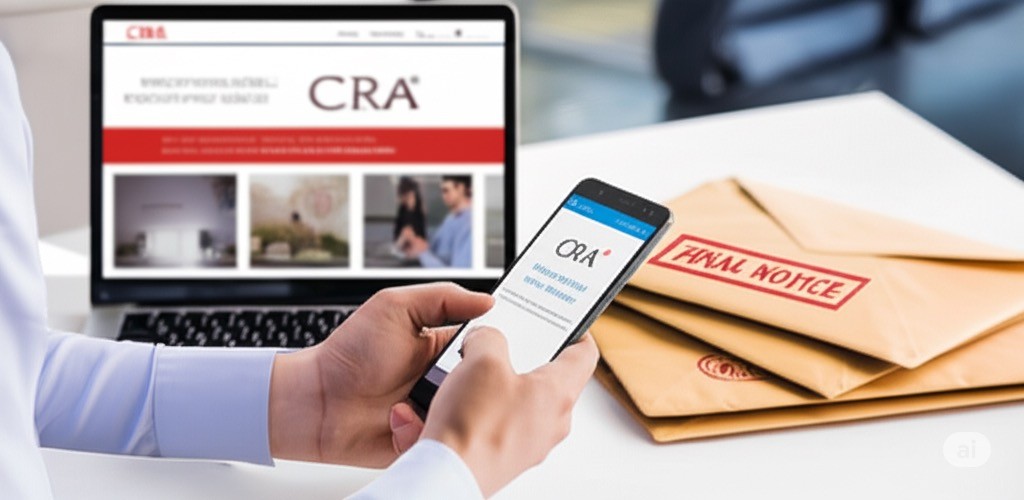
The way businesses interact with the Canada Revenue Agency (CRA) is undergoing a significant transformation. The familiar brown envelopes that have been a staple of business mail for decades are being phased out. Starting in the spring of 2025, the CRA is shifting to a primarily digital-first communication strategy for businesses, and at Modern Axis CPA, we want to ensure you're prepared for this change.
Key takeaways
Starting spring 2025, CRA is shifting most business correspondence — notices of assessment, statements, audit letters — to digital delivery through My Business Account instead of paper mail.
Correspondence is considered legally received on the date CRA posts it to your My Business Account, not when you read it — so failure to check the portal regularly can mean missed deadlines and penalty exposure.
Notification emails come from do_not_reply-ne_pas_repondre@cra-arc.gc.ca — whitelist this address and the cra-arc.gc.ca domain to prevent critical alerts from landing in spam.
Businesses that want to keep paper correspondence can opt out starting May 2025 by changing settings in My Business Account or submitting Form RC681.
This move means that most official correspondence, including notices of assessment, statements, and other important documents, will no longer arrive by post. Instead, they will be delivered directly to your CRA "My Business Account." This transition is mandatory for most businesses, and being unaware of this shift could lead to missed deadlines and compliance issues.
Why the Change?
The CRA's goal with this initiative is to make communication more efficient and secure. The benefits include:
Speed: Access your important documents much faster than through traditional mail.
Convenience: Manage your business tax information online, 21 hours a day, from any device.
Security: The "My Business Account" portal uses sophisticated security measures to protect your sensitive information.
Eco-Friendly: Reducing paper consumption is a positive step for the environment.
Who is Affected?
This change to online correspondence will impact:
New businesses registering for a business number.
Existing businesses that are already registered for a CRA "My Business Account".
Businesses that have authorized a representative, like your accountant at Modern Axis CPA, to have online access.
It's crucial to understand that even if you have authorized us to access your account, the responsibility for checking for new mail remains with you, the business owner. The CRA sends notifications of new mail to the business owner's email address on file, not to the representative.
Your Action Plan: Embrace Your "My Business Account"
The single most important step you can take is to register for and actively use your CRA "My Business Account." Correspondence is considered legally "received" on the date it is posted to your online account, not when you open it. This makes regularly checking your account essential to avoid missing time-sensitive requests or deadlines.
Here’s how to get set up:
Step 1: Register for a CRA "My Business Account"
If you don't already have an account, you'll need to register.
Go to the CRA's "My Business Account" page online.
You will need your Social Insurance Number (SIN), date of birth, postal code, and information from your most recent personal and business tax returns to verify your identity.
The CRA will issue a security code via mail or email to provide full access.
Step 2: Add and Verify Your Email Address
Once registered, the most critical step is to add a valid email address to your profile. The CRA will use this email to notify you when you have new mail to view in your account. You can add up to three email addresses, so you may consider adding the email of a key person in your business or your bookkeeper.
Step 3: Don't Let CRA Emails Get Lost in Junk!
An email notification you don't see is as unhelpful as a letter that never arrives. It is vital to ensure that these important notifications from the CRA don't get filtered into your junk or spam folder.
Here's how to prevent this:
Add the CRA to Your Safe Senders: Add the CRA's official "from" address, do_not_reply-ne_pas_repondre@cra-arc.gc.ca, to your email's safe sender list.
Whitelist the Domain: To be extra safe, whitelist the entire CRA domain: cra-arc.gc.ca. This tells your email provider that any communication from this domain is legitimate.
Check Your Junk Folder Regularly: Make it a habit to periodically check your junk or spam folder just in case an important email has been misplaced.
What If I Still Want Paper Mail?
The CRA does allow businesses to opt-out of online-only mail. Starting in May 2025, you can request to continue receiving paper correspondence by either changing your settings within your "My Business Account" or by completing and mailing Form RC681, "Request to Activate Paper Mail for my Business".
We're Here to Help
This transition to digital is a significant change, but it's a move toward a more modern and efficient system. The team at Modern Axis CPA is here to support you. While the onus is on business owners to monitor their accounts, we can guide you through the registration process and answer any questions you may have.
The era of waiting for the mail carrier for important tax documents is coming to an end. By taking these proactive steps now, you can ensure a smooth transition and stay on top of your business's tax obligations.
Frequently asked questions
When is CRA stopping paper mail for businesses?
CRA is phasing out most paper mail for businesses starting in spring 2025. Notices of assessment, statements of account, and audit-related correspondence will be delivered through My Business Account instead. The change is mandatory for new business registrations and existing businesses already enrolled in My Business Account, as well as any business that has authorized a representative for online access — which covers most active CRA-registered businesses.
How do I register for CRA My Business Account?
Go to canada.ca/my-business-account and choose CRA register. You'll need your Social Insurance Number, date of birth, postal code, and a line amount from a recent personal or business tax return to verify your identity. CRA then mails or emails a security code that activates full account access — usually within a week. Once activated, add up to three email addresses to receive notifications, and authorize your CPA or bookkeeper for representative access.
What happens if I miss a CRA notice in my online account?
Correspondence is considered legally received on the date CRA posts it to your My Business Account — not the date you read it. Missing a notice of assessment, instalment reminder, or audit letter can trigger interest, penalties, missed appeal deadlines, and in serious cases, collections action. The CRA position is that login responsibility falls on the business owner, not the representative. Check the account at least weekly during active filing periods.
Will my accountant still get notified of CRA correspondence?
Representatives authorized through Represent a Client can view CRA correspondence in your account, but CRA's notification emails go to the business owner's email addresses on file — not the representative's. That's a deliberate design choice: CRA wants the business owner to be the one who sees the alert. Authorize your CPA for view access so they can check the account during engagements, but you remain responsible for monitoring notifications and forwarding anything urgent.
Can I opt out and keep getting CRA paper mail?
Yes, starting May 2025. You can opt back into paper correspondence by changing your communication preferences inside My Business Account, or by completing and mailing Form RC681, Request to Activate Paper Mail for my Business. Opting out is a per-account choice and not retroactive — anything CRA delivered electronically before you opted out remains an electronic notice. Most CPAs recommend keeping the online account active even if you choose paper, because it's also the fastest channel for many transactions.
How do I make sure CRA email notifications don't go to spam?
Whitelist the address do_not_reply-ne_pas_repondre@cra-arc.gc.ca in your email client's safe senders list. For belt and braces, whitelist the full cra-arc.gc.ca domain so any future CRA sender addresses are also covered. Make a habit of checking your junk folder once a week during tax season, and add a calendar reminder to log into My Business Account directly — the email is a courtesy notification, not the official delivery method.
Alex Ataman, CPA
Founder
Modern Axis CPA